Weaving Wonders!
Collaborative Co-Grade Level Project
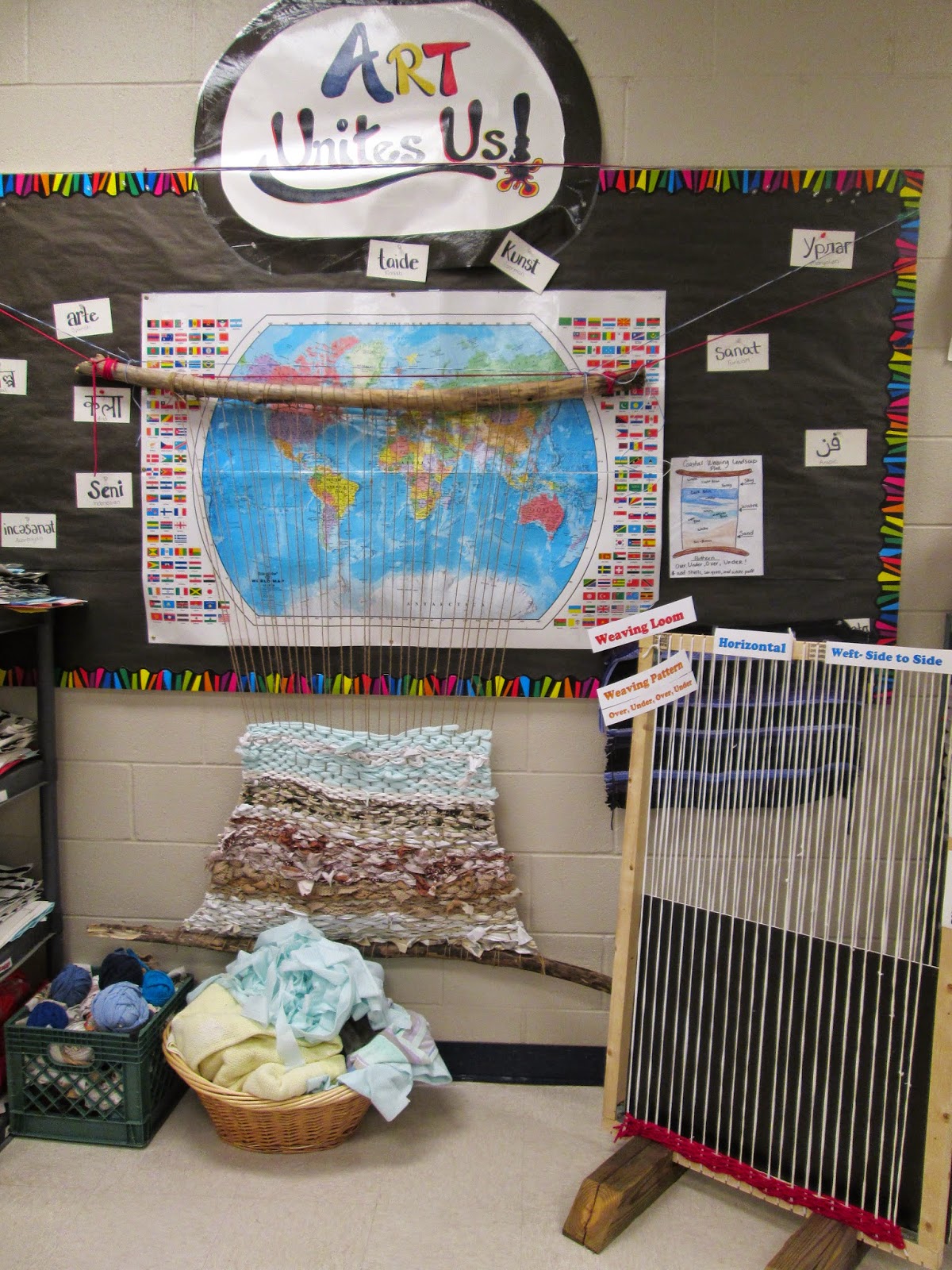
To help reinforce weaving concepts across all level, we have two large scale weaving projects that we are all working collaboratively to create. The kiddos love getting the chance to add a few rows when they finish early.

This awesome Loom was created for us this year by a parent volunteer. We are weaving with recycled t-shirt yarn on this loom. Our goal for this one to make a functional rug that we can use in the library. We don't have a specific pattern or plan for this weaving... so we will see how it goes and grows!

Our 1st graders are currently learning how to create mini looms and weavings based on this big one! I'll post more on this project as they finish up :)


Our second loom was created out of two branches and twine. We are weaving with shredded scraps of donated clothes and fabrics. I worked with our older grades to create a plan for a woven picture. They decided on creating a "Coastal Landscape". It is looking really good so far! I love love love the textures of the random fabric scraps!


